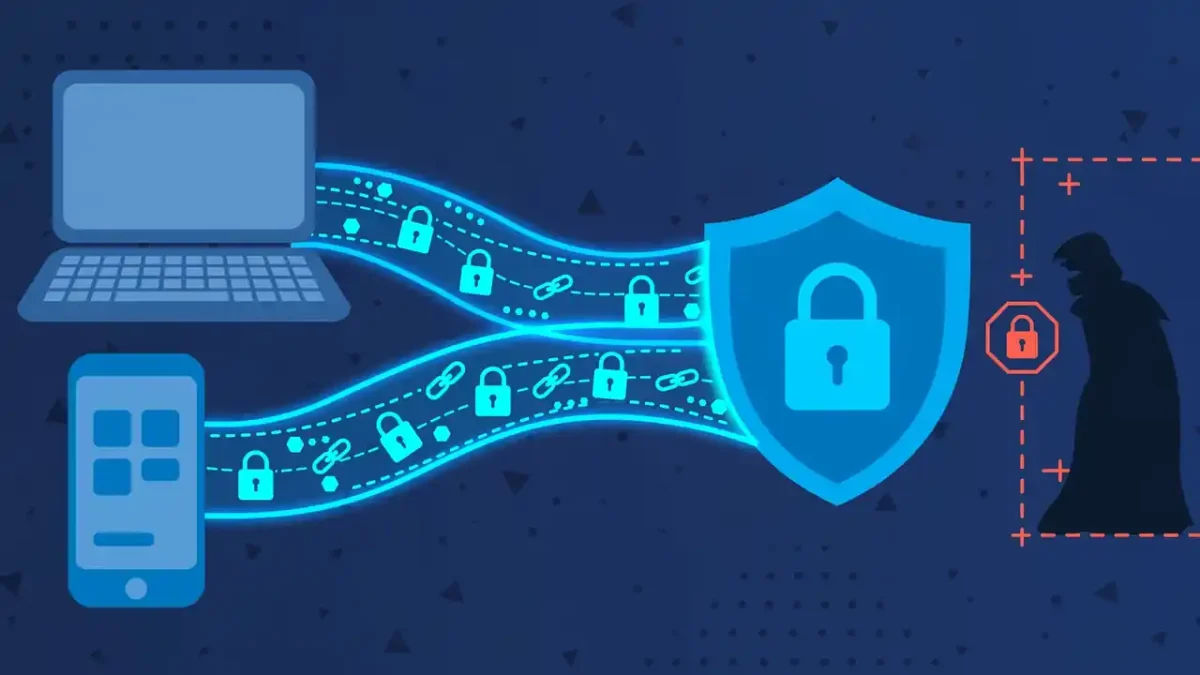
You are sipping coffee, connected to the café’s free WiFi, when a popup warns you that hackers could be watching. A VPN ad promises “military-grade encryption” and “total anonymity” for the price of a coffee a month. It sounds like essential protection — but is it? VPNs are genuinely useful tools wrapped in layers of marketing exaggeration, and the truth is more nuanced than either the scare tactics or the sales pitches. This guide separates what a VPN actually does from what the ads claim, so you can decide with clear eyes whether you need one.
What a VPN actually does, in one paragraph
A VPN (Virtual Private Network) is an app that creates an encrypted tunnel between your device and a server run by the VPN company, then sends all your internet traffic through that tunnel. To anyone watching your local network — the café WiFi owner, your internet provider, someone snooping on public WiFi — your traffic looks like unreadable gibberish going to one destination: the VPN server. To websites you visit, you appear to be browsing from the VPN server’s location, not your own. That is the whole mechanism. Everything a VPN can and cannot do for you follows from those two facts: encryption of the local leg, and a different apparent location.
How it works: the armored-car analogy
Imagine you need to send letters through a neighborhood where nosy strangers read every postcard. A VPN is like hiring an armored car: your letters go into the car at your door (encrypted on your device), travel unreadable past all the snoops, and get delivered to a trusted mail depot (the VPN server), which posts them onward normally. The strangers along the road see only an armored car driving to the depot — they cannot read the letters or see their final addresses. But note the catch built into the analogy: the depot itself can read your letters. A VPN does not make you invisible; it moves your trust from your internet provider and local network to the VPN company. That is why choosing a trustworthy provider matters more than any feature list.
What it honestly protects you from
A VPN genuinely helps in specific situations. On public WiFi — cafés, airports, hotels — it stops local snoopers and rogue hotspots from reading your traffic or hijacking your sessions, which is its clearest win. It stops your internet provider from seeing which sites you visit and selling or sharing that browsing history; the provider sees only encrypted traffic to the VPN server. It hides your real IP address from the websites you visit, which blocks the simplest form of location tracking and IP-based profiling. And it lets you appear to browse from another country, which can access region-locked content — though streaming services actively fight this, so treat it as a sometimes-works bonus, not a promise. These are real, meaningful protections — just narrower than the ads suggest.
What it does NOT do: myths debunked
Myth: a VPN makes you anonymous. It does not. You still log into accounts, accept cookies, and carry the same browser fingerprint; Google and Facebook know exactly who you are with or without a VPN. Myth: a VPN protects you from viruses and hackers. It encrypts traffic in transit — it does nothing against malware you download, phishing emails, or scam websites. For those threats, read our practical guide to spotting phishing and our plain-English ransomware explainer instead. Myth: a VPN makes you untraceable by law enforcement. VPN companies can be compelled to share logs, and many keep more logs than their “no logs” marketing implies. Myth: free VPNs are just as good. Running servers costs real money; if you are not paying, the company is usually monetizing you — through ads, data collection, or selling bandwidth. A free VPN can easily be worse for privacy than no VPN at all.
When a VPN genuinely makes sense
Get one if you regularly use public WiFi for anything sensitive — working from cafés, traveling, hotel networks. Get one if you are uncomfortable with your internet provider logging and monetizing your browsing history. Get one if you need to appear in another country for work or for services that check location. Journalists, activists, and people in countries with restricted internet have stronger reasons still. In these cases a reputable paid VPN is cheap, effective protection for exactly the threat it was designed against — but remember it is one layer, not a complete security setup. Pair it with the other basics of account security — our guides to two-factor authentication and password managers cover the protections a VPN cannot give you.
When it is a waste of money
Skip the VPN if you mostly browse from home on your own network — your provider can already see your traffic with or without one, and home WiFi with a decent password is not the danger zone. Skip it if your goal is “total anonymity,” because that is not for sale at any price. Skip it if you expect it to replace antivirus software or common sense about suspicious links; it does neither. And definitely skip the panic purchase: the scary popup on public WiFi is often an ad for the very VPN being sold to you. Modern websites overwhelmingly use HTTPS (the padlock in your browser), which already encrypts your traffic to each site — a VPN adds a second layer, useful but not the emergency the ads imply.
How to pick a good one (and spot the bad ones)
If you decide you want one, choose carefully — a bad VPN is worse than none. Look for: a clear, independently audited no-logs policy (not just a marketing claim); open-source apps or at least a long, scandal-free track record; servers in the countries you actually need; and transparent ownership — avoid providers that hide who runs them. Red flags: “free unlimited VPN” with no visible business model; claims of “military-grade encryption” as if that were special (standard encryption is table stakes); countdown-timer pricing pressure; and apps that request bizarre permissions on your phone. Prices and providers change over time, so check recent independent reviews before committing — and never pay for multi-year plans upfront until you have tested the service for a month.
Frequently asked questions
Does a VPN slow down my internet? Slightly — encryption and the extra hop add overhead, typically 10–30%. On fast connections you will not notice; on slow ones you might. Choosing a server in a nearby city rather than across the world minimizes the slowdown.
Is using a VPN legal? In most countries, yes. A few countries restrict or ban VPN use, so check local law if you travel — the rules change and vary widely.
Can I just use my browser’s “private mode” instead? No — private mode only stops your browser saving history locally. It does nothing to encrypt traffic or hide your activity from networks and providers. Different tool, different job.