A great music video doesn’t illustrate the lyrics — it gives the song a second nervous system. Think of the videos you actually remember: they matched the track’s energy, not its words. A ballad gets golden fields and slow wind; a banger gets strobe lights and chaos.
The prompt below is your starting frame for any of it. Map your song section by section (verse, chorus, bridge), generate one clip per section with a consistent style, and cut everything on the beat. That’s the whole directing job.
The Full Prompt — Ready to Copy
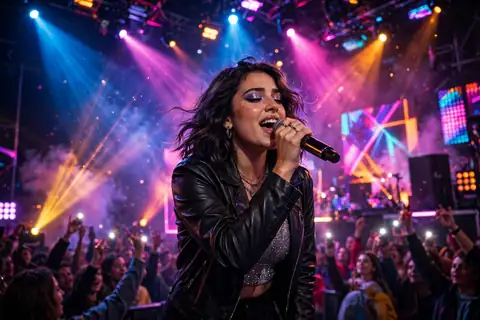
Cinematic music video scene of [a singer on stage with dramatic lights and a massive crowd], dynamic camera moves, lens flares, slow motion hair and confetti, vibrant colors, emotional intensity, 4K, 8 seconds
Negative prompt:
static shot, blurry, distorted faces, watermark, low quality, boring
Putting This Prompt to Work
- Pick your tool: Runway Gen-3, Luma, or Pika for cinematic clips. Plan one clip per song section (verse, chorus, bridge).
- Map the song: List timestamps — intro (0:00), verse (0:15), chorus (0:45)… one visual concept per section.
- Paste the prompt per section, keeping a consistent style/character across clips.
- Generate 2–3 takes per section and pick the best; consistency matters more than perfection.
- Edit to the beat: Cut on beat drops in CapCut/Premiere — rhythm editing makes AI footage feel intentional.
Make the Prompt Your Own
- Genres: “neon cyberpunk” (EDM), “desert road trip” (country), “rainy neon streets” (lo-fi), “golden field” (folk).
- Style: “silhouette only” (mysterious), “lyric video” (no people), or full “AI performer”.
- Camera: “slow push-in” (intimate), “drone orbit” (epic), “handheld” (raw).
- Style: “silhouette only” (mysterious), “lyric video” (no people), or full “AI performer”.
- Effects: “film grain”, “light leaks”, “slow motion” — texture hides AI imperfections.
- Story: Give the video a mini-arc: lonely start → euphoric chorus → reflective end.
Try These 3 Twists
1. The Arena Anthem
Music video of [a rock band on a massive festival stage], pyrotechnics, crowd surfing, explosive energy, epic, 8 seconds per clip
2. The Dreamy Ballad
Emotional music video scene of [a lone figure in a field at sunset], wind in clothes, slow motion, golden light, melancholic beauty, 10 seconds
3. The Neon Night
EDM music video of [a dancer in a neon-lit warehouse], strobe lights, dynamic moves, cyberpunk colors, high energy, 8 seconds
Getting Better Results
- Consistency trick: Use the same seed/character reference across clips, or embrace anthology style (different visuals per section).
- Cut on the beat: Editing rhythm matters more than clip perfection — a well-cut AI video beats a poorly-cut real one.
- Hide flaws with style: Film grain, glitch effects, and fast cuts mask AI artifacts beautifully.
- Lyrics: Add kinetic typography for choruses — doubles as Shorts/TikTok content.
Quick Answers
Can AI music videos look professional?
Yes — many indie artists now release AI videos that rival low-budget shoots, especially with strong editing.
How long does it take?
A 3-minute video ≈ 20–25 clips. Budget a weekend: one day generating, one day editing.
Copyright on AI visuals?
Your generated clips are yours per most tools’ terms, but check commercial licenses for paid distribution.
Best for which artists?
Electronic, ambient, and experimental genres suit AI aesthetics best — but any genre works with the right concept.