
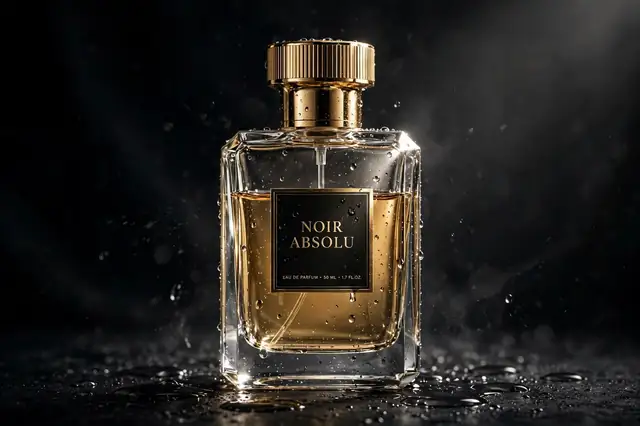
Watch any luxury ad and notice what they’re actually selling: not the perfume, but the slow-motion droplet sliding down the glass. Desire lives in texture and light, and that’s precisely what AI video generators have gotten scary good at rendering.
The prompt below is a full 15-second commercial in a box — dramatic lighting, elegant rotation, macro details. For best results, start from a real photo of your product (image-to-video keeps it from morphing), paste the prompt, and add your brand text afterward.
Your Copy-Paste Prompt
15-second luxury product commercial of [a perfume bottle], dramatic studio lighting, slow motion water droplets, elegant rotation, dark premium background, macro details, cinematic advertising, 4K
Negative prompt:
cheap looking, blurry, distorted product, watermark, text artifacts, low quality
How to Use It: A Quick Walkthrough
- Pick your tool: Runway Gen-3, Pika, or Luma handle product shots beautifully. Use image-to-video with your actual product photo for accuracy.
- Start from your product image (image-to-video) — this keeps the product looking real instead of AI-morphed.
- Paste the prompt describing the motion: rotation, droplets, lighting changes.
- Generate 3–4 takes and pick the one where the product stays consistent.
- Add text in editing: Brand name and tagline in CapCut — AI mangles text, so add it after.
Tweak It Your Way
- Product types: “watch”, “sneakers”, “cosmetics jar”, “headphones” — each has its own hero shot language.
- Mood: “dark luxury” (premium), “bright fresh” (skincare), “neon energetic” (tech).
- Motion: “360 rotation”, “exploding parts assembly”, or “liquid splash” — motion sells products.
- Details: “macro close-up”, “condensation drops”, “silk fabric” — texture creates desire.
- Duration: 15 seconds is the social ad sweet spot; 6 seconds for bumper ads.
3 Variations Worth Trying
1. The Luxury Reveal
Product commercial of [a gold watch], emerging from darkness into a light beam, slow rotation, macro dial details, ultra premium, 10 seconds
2. The Fresh Splash
Skincare commercial of [a cream jar], water splash in slow motion, fresh morning light, dewy drops on the jar, clean and bright, 8 seconds
3. The Tech Unveil
Tech ad of [wireless earbuds], floating in neon-lit space, parts assembling in mid-air, futuristic, dynamic, 12 seconds
Tips for the Best Output
- Image-to-video wins: Starting from your real product photo keeps branding accurate — pure text-to-video often morphs the product.
- Consistency check: Watch for the product changing shape mid-clip; regenerate if it morphs.
- Sound: Add whooshes and a deep bass hit in editing — sound makes ads feel expensive.
- End card: Freeze the last frame, add your logo and CTA — the classic ad structure.
Common Questions
Will AI product videos fool customers?
Be honest — use AI for the cinematic shots, but show the real product clearly. Trust converts better than trickery.
Best tool for product ads?
Runway Gen-3 with image-to-video currently gives the most consistent product rendering.
My product keeps morphing. How do I fix it?
Shorter clips (5s), lower motion intensity, and image-to-video instead of text-to-video.
Can I make ads for clients with AI?
Yes — many freelancers do. Disclose AI use per platform rules and check commercial licenses.


3 Comments