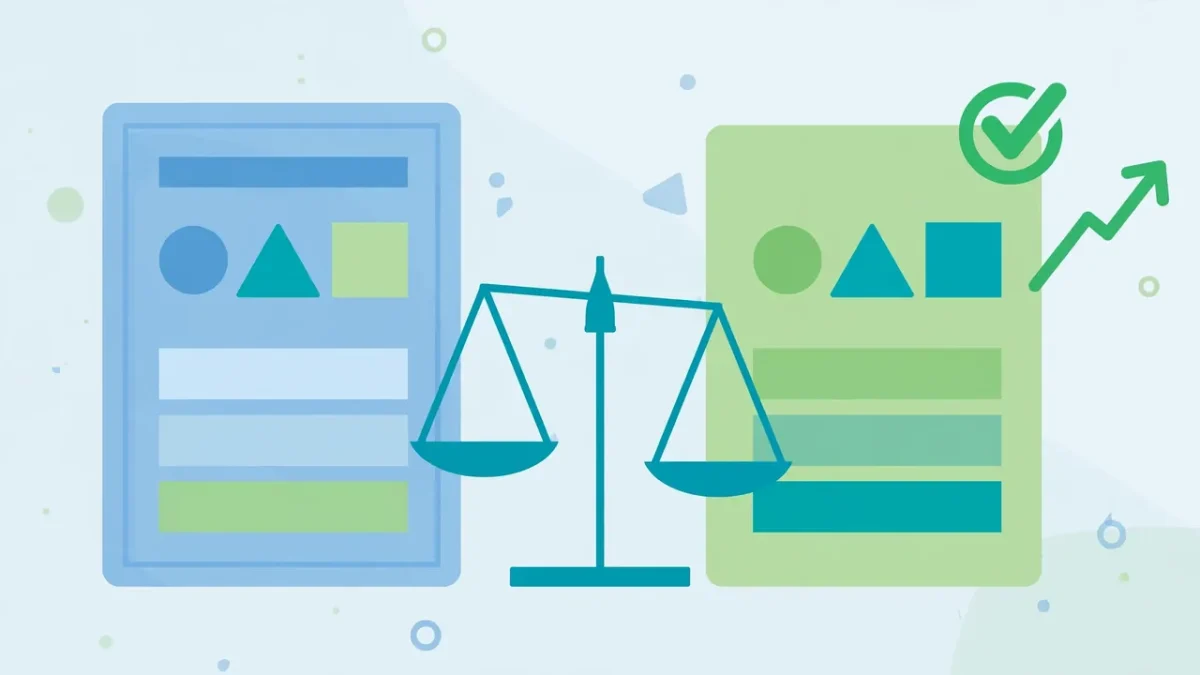
Your designer loves the blue button. Your gut says green converts better. Your business partner wants the whole hero section rewritten. Everyone has an opinion — and opinions, however confident, are wrong about half the time. A/B testing settles these arguments with evidence instead of ego: show half your visitors version A, half version B, and let their behavior declare the winner.
Done right, A/B testing is the engine behind every serious optimization effort. Done wrong, it produces false winners, wasted months, and misplaced confidence. This guide covers what a real test is, the only math you need, what to test first, how to run your first test step by step, and the mistakes that silently invalidate results.
What an A/B Test Really Is (And Isn’t)
An A/B test splits your traffic randomly between two versions of a page — A (the control, your current version) and B (the challenger, with one change) — and measures which converts better. Because the two groups are identical on average, any performance difference comes from your change, not luck.
What it isn’t: it’s not “try a new design for a week and see if sales go up.” Without a simultaneous control group, you can’t separate your change from seasonality or random fluctuation. And it’s not a vote — the version you like best loses regularly. The data decides, not taste.
Tests come in flavors: A/B (two versions of one element), A/B/n (several challengers at once), split URL (entirely different pages), and multivariate (combinations of elements — powerful but hungry for traffic). Beginners should start with plain A/B tests: simplest to run, easiest to interpret.
The Only Math You Need: Sample Size and Significance
You need just two concepts:
Statistical significance asks: “Is this win real, or random noise?” The standard bar is 95% confidence — only a 5% chance the result is a fluke. Below that, keep running; above it, call a winner.
Sample size asks: “How many visitors before I can trust the result?” It depends on your conversion rate and expected improvement. Rough guide: a site converting at 2% needs about 3,000–5,000 visitors per version. Free sample-size calculators do the arithmetic — use one before you start.
The practical takeaway: low-traffic sites must test bold changes. Tweaking button shades needs thousands of visitors; a rewritten headline can show a winner with far fewer. Match your ambition to your traffic.
What to Test First (And What to Leave Alone)
Test in order of potential impact, not ease. The highest-leverage elements:
- Headlines and value propositions. Test clarity and benefit-focus, not cleverness.
- Calls-to-action. Text, placement, and prominence of your main button. “Get my free quote” beats “Submit” almost everywhere.
- Forms. Number of fields and layout. Fewer fields almost always win — test how few you can get away with.
- Social proof. Presence and placement of reviews. Test specific numbers (“4,000+ happy customers”) against vague claims.
- Page structure. Long vs. short pages, section order, what’s visible without scrolling.
- Offers and pricing. Guarantee wording, plan order, how discounts are framed.
Leave alone until later: tiny color tweaks, font swaps, and footer text — they rarely move the needle. Also skip anything you can’t measure: no precise conversion goal, no valid test.
Headlines also drive the clicks that bring visitors in the first place — Title Tags and Meta Descriptions: How to Write Snippets That Win More Clicks teaches the same clarity-first principles for search snippets.
Running Your First Test, Step by Step
- Pick one page and one goal. Your highest-traffic page with a clear conversion goal.
- Form a hypothesis. Write: “Changing X to Y will lift Z because…” A written hypothesis stops you from testing random ideas.
- Calculate sample size. Use a free calculator with your current conversion rate. That’s your finish line.
- Build only version B. Change the one element from your hypothesis. Everything else stays identical.
- Set up the test. Free options include Google’s testing integrations and free tiers of dedicated tools. Split traffic 50/50 for fastest learning.
- QA both versions. Check A and B on desktop and mobile. A broken challenger tests your QA process, not your hypothesis.
- Launch and don’t peek. Run until you hit your sample size. Stopping early when it “looks good” is how beginners fool themselves.
- Call it and implement. Winner above 95% confidence gets implemented. No winner? Your hypothesis was wrong — learn and test the next idea.
Free Tools for A/B Testing
You need a testing tool, analytics, and a calculator. Google’s ecosystem offers testing integrated with Analytics at no cost; Microsoft Clarity (free) provides heatmaps and recordings for forming hypotheses; tools like VWO have free tiers for small sites. Start free; pay only when your volume outgrows the free tier.
Mistakes That Invalidate Your Results
- Stopping early. Peeking and stopping the moment B pulls ahead guarantees false winners. Pre-commit to your sample size and honor it.
- Testing during unusual periods. Holidays, big sales, and viral spikes contaminate results. Test during normal weeks.
- Changing mid-test. Editing version B halfway through restarts the experiment in practice. Freeze both versions until the finish line.
- Testing multiple elements at once. Change the headline AND the button AND the image, and a win teaches you nothing. One variable per test.
- Ignoring device segments. A change can win on desktop and lose on mobile. Segment results by device — Mobile SEO in 2026: How to Optimize Your Website for Mobile Users and Google Rankings explains why mobile behavior diverges.
- Chasing tiny wins. A 2% lift on a small site isn’t worth a month of testing. Bank the big wins, then move on.
- Never testing at all. Even imperfect tests beat opinion-driven redesigns — start simple and improve as you go.
How Long to Wait Before Calling a Winner
Two rules govern timing. First, run full weekly cycles — weekday and weekend behavior differ, so a 5-day test can mislead. Minimum one full week, ideally two or more. Second, reach your sample size before judging, even if the test “looks done” earlier.
For a small site, that’s often 2–4 weeks per test. Slow, but a false winner costs you conversions daily until retested. Plan one test per month — twelve learnings a year compounds seriously.
Between tests, apply winning lessons elsewhere: update underperforming content with the winning angle via How to Update Old Blog Posts for Better Rankings: A Complete 2026 Guide, and keep test pages fast so speed doesn’t contaminate results — Website Speed Optimization: Make Your Site Load Faster With These Proven Steps has you covered.
A/B Testing FAQ
How much traffic do I need to A/B test? Enough to reach statistical significance in a reasonable time. As a rough floor: a few hundred conversions per month per version. Below that, focus on bold changes and qualitative research instead of formal tests.
Can I test more than two versions? Yes (A/B/n), but each extra version splits your traffic further and lengthens the test. Stick to A/B until you have abundant traffic.
Will testing hurt my SEO? No, when done properly. Google is fine with A/B tests as long as you don’t cloak (showing Googlebot different content than users) and don’t run tests for months on end. Use proper redirects or testing tools and you’re fine.
What if the test is inconclusive? That’s a result too — it means the change doesn’t matter enough to detect. Implement the version you prefer (or the simpler one) and test a bolder hypothesis next.
Keep Reading
- Title Tags and Meta Descriptions: How to Write Snippets That Win More Clicks
- How to Update Old Blog Posts for Better Rankings: A Complete 2026 Guide
- Website Speed Optimization: Make Your Site Load Faster With These Proven Steps
- Content Marketing Strategy: How to Plan Content That Converts (2026 Guide)