
You are about to type your card number into a website you found through a search result. Ten seconds of checking first could be the difference between a smooth purchase and a drained account. The good news: you do not need to be technical to vet a website — a handful of free tools will tell you whether a site encrypts your data, whether security scanners have flagged it, and who actually owns it. This list covers the ten most useful ones, what each is good at, and where each falls short.
One important note: no tool can declare a website 100% safe. A clean result means “no red flags found,” not “guaranteed trustworthy.” Use these checks as a habit before entering passwords or card details — and if the site reached you through a suspicious message, run this method for verifying suspicious links first.
1. Your browser’s padlock and site information panel
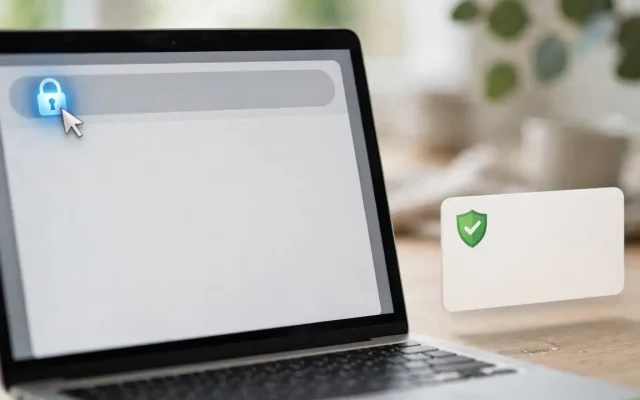
The fastest check needs no extra tool: click the padlock (or “not secure” label) next to the address bar to see whether the connection is encrypted, who issued the certificate, and when it expires. The honest downside: a padlock only proves the connection is encrypted, not that the site is legitimate. Scam sites routinely have valid certificates, so treat the padlock as a minimum requirement, never a seal of approval.
2. Google Safe Browsing check
Google maintains a constantly updated list of unsafe websites — phishing pages, malware distributors, deceptive sites — and your browser quietly consults it on every page load. You can also check any URL through Google’s transparency report. The downside: brand-new scam sites may not be listed yet, so a clean result only means Google has not flagged it. When it does show a warning, believe it and leave immediately.
3. SSL Labs Server Test (by Qualys)
This free tool grades a website’s encryption setup from A to F — the gold standard that security professionals use themselves. The catch is readability: the full report is written for technical people. Beginners should just look at the overall grade — an A or B is healthy, anything lower deserves caution — and ignore the details underneath.
4. VirusTotal URL scanner
VirusTotal scans any web address with dozens of antivirus engines and website scanners at once, free. It is excellent for moments of doubt about an unfamiliar link: if multiple engines flag the URL, walk away. The limitation: like all blacklists, it can miss very new threats, and a clean scan is not a guarantee. Use it as a second opinion alongside the other checks here.
5. urlscan.io
urlscan.io loads a webpage in a sandbox and shows what it does — every domain it contacts, every file it downloads, plus a screenshot. A “bank login” page secretly sending data elsewhere is exposed instantly. The downside: interpreting results takes practice, and scans go into a public database — fine for a suspicious shop, but never scan links containing personal tokens or private data.
6. WHOIS lookup
A WHOIS lookup shows who registered a domain, when it was created, and where. It is surprisingly powerful against scams: a “trusted bank” whose domain was registered two weeks ago is an immediate red flag. The limitation: legitimate sites use privacy protection too, so hidden ownership alone proves nothing — but combined with a very recent registration date, it is one of the strongest warning signs available.
7. PhishTank
PhishTank is a community database of known phishing URLs, with submissions verified by volunteers. Checks are quick, free, and human-reviewed. Its strength is also its weakness: coverage depends on community submissions, so obscure or very new phishing pages may not appear. Think of it as a neighborhood watch — valuable, but no substitute for your own judgment.
8. Certificate transparency search (crt.sh)
Every publicly trusted SSL certificate is logged in public transparency logs, and crt.sh searches them free. You can check whether a domain’s certificate history looks normal — issued by reputable authorities, at sensible times. Genuinely useful for verifying that a site claiming to be your bank holds consistent certificates. The downside is the learning curve: raw log data is not beginner-friendly, so save this one for after the simpler tools above.
9. Web of Trust (MyWOT)
MyWOT aggregates user ratings of websites’ trustworthiness into a reputation score. It is fast, free, and adds a human layer — real users reporting bad experiences. The honest problem: ratings can be gamed, are sparse for small sites, and occasionally wrong either way. Treat a terrible score as a serious warning and a good score as mild reassurance, never proof. Best used as a tiebreaker.
10. Built-in browser warnings and your password manager
This is less a tool than a habit: heed full-page browser warnings, and notice when your password manager refuses to autofill — that usually means the domain does not match the saved one, a classic phishing tell. Both are free and automatic. Their weakness: they only fire on known-bad cases, and warning fatigue makes people click through. Treat a browser security warning as a stop sign, not a speed bump.
What to check before you enter sensitive details
Turn the tools above into a thirty-second routine. First, glance at the address bar: is the domain exactly right, and does the padlock show a secure connection? Second, ask how you got here — a site you found yourself is less risky than one from a random message. Third, for anything involving money or identity documents, run the URL through Safe Browsing or VirusTotal. Fourth, check an unfamiliar domain’s age with WHOIS — new domains deserve skepticism. Layer these checks deliberately: the padlock and domain glance take two seconds, a blacklist scan takes ten more, and WHOIS settles the close calls. Make this routine automatic for banking, shopping, and anywhere you enter identity documents — the threats these tools catch are exactly the ones that cost real money. For the full picture of scammer tactics, this guide to the most common online scams in India shows the tricks these checks are designed to catch.
The bottom line
The browser padlock and a careful look at the domain catch the basics; Google Safe Browsing and VirusTotal add blacklist intelligence; SSL Labs and urlscan.io add depth when something feels off; WHOIS and certificate logs expose impersonation. No single tool does it all, which is why the habit matters more than any one check. Bookmark two or three of these, use them before money or passwords change hands, and you will be safer than the vast majority of internet users. Remember the human layer too: the cleverest technical check cannot save you if you hand a one-time password to a caller pretending to be your bank. Tools handle the website; skepticism handles everything else. To go deeper on staying safe overall, this beginner’s guide to staying safe from online scams and this guide to spotting fake bank SMS alerts are worth your time next.


One Comment