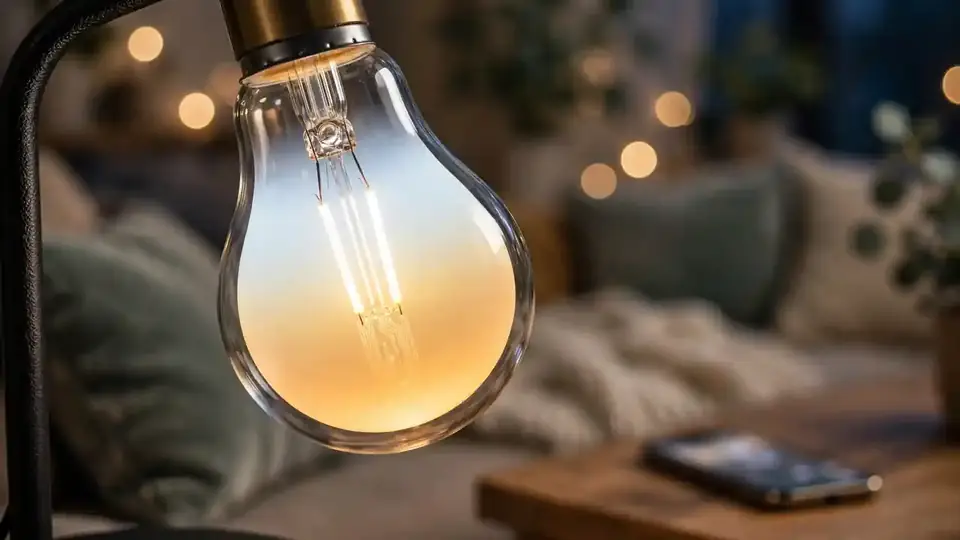
It starts with a single bulb. You screw it in, open an app, and watch your living room shift from harsh white to warm amber with one tap. Ten minutes later you are standing in a lighting aisle, phone in hand, realising there are white bulbs, colour bulbs, WiFi bulbs, Zigbee bulbs, Matter bulbs, bulbs measured in lumens and Kelvins — and they range from the price of a coffee to the price of a dinner. Buying your first smart bulbs should be simple. Here is everything worth knowing before you spend a rupee, dollar, or euro.
What a smart bulb actually is
A smart bulb is an LED bulb with a tiny computer and a wireless radio built in. That is the whole trick. Instead of a wall switch cutting power to turn it on and off, the bulb stays powered and listens for instructions over WiFi, Bluetooth, Zigbee, or another wireless standard. Your phone app, a voice command, or an automated schedule tells it what to do: change brightness, shift colour, or switch on at sunset.
The important consequence: the wall switch must stay on. If someone flips the physical switch off, the bulb loses power and becomes a very expensive ordinary dead bulb. This single fact causes more smart-bulb frustration than everything else combined, and we will come back to it.
Brightness and colour: the two numbers that matter
Forget watts — with LEDs, brightness is measured in lumens. A standard old 60-watt incandescent bulb produced about 800 lumens, so look for roughly 800 lumens if you want the same brightness you are used to. Dimmer accent lighting can be 400–500 lumens; a bulb meant to light a whole room comfortably should be 800 or more.
Colour is measured in Kelvin (K). Lower numbers mean warmer, cosier light: around 2700K feels like a traditional warm bulb. Higher numbers mean cooler, bluer light: 5000–6500K resembles daylight and feels clinical. Many smart bulbs let you slide anywhere along this range, which is genuinely useful — cool bright light for working, warm dim light for winding down. Full-colour (RGB) bulbs go further and can produce millions of colours, which is fun for movie nights and parties but unnecessary if you just want good everyday light. White-only “tunable” bulbs cost less and do the everyday job perfectly.
The connection question: WiFi, Bluetooth, Zigbee, or Matter?
How the bulb talks to your home determines how much extra gear you need. WiFi bulbs connect directly to your router — no hub required, setup in minutes. The downside: each bulb is another device on your WiFi network, and a house full of them can strain an older router. For your first two or three bulbs, WiFi is the path of least resistance.
Bluetooth bulbs pair directly with your phone. They are cheap and simple but limited — you generally must be within Bluetooth range to control them, and automations are basic. Fine for a single bedside lamp, frustrating as a system.
Zigbee bulbs need a hub or a compatible speaker to translate (our guide to Zigbee, Z-Wave and Matter explains why). They respond faster, do not burden your WiFi, and form a mesh where each bulb extends the network. The catch is the upfront hub cost — worth it once you are committed, overkill for experimenting.
Matter bulbs are the new universal standard: buy one with the Matter logo and it should work with any major smart home system. If you are buying today and want the most future-proof choice, Matter is the safest default. If you are still deciding whether the whole smart home idea is for you, read whether you actually need a smart home hub before investing in hub-dependent bulbs.
Start small: the two-bulb experiment
Do not outfit the whole house on day one. Buy one or two bulbs for the room where you spend your evenings and live with them for two weeks. This cheap experiment answers every important question: Do you actually use the colour features, or do you set warm white once and forget it? Does voice control feel magical or gimmicky? Does anyone keep flipping the wall switch off out of habit?
Your answers will tell you whether to buy white-tunable bulbs (cheaper, practical) or full-colour ones (pricier, fun), and whether your household can adapt to the always-on-switch rule. Many people discover they only ever wanted dimmable warm light on a schedule — and a couple of affordable white-tunable bulbs deliver exactly that.
The wall-switch problem, solved three ways
Since the switch must stay on, you need a plan for the humans in your house. Option one: discipline and tape. Leave switches on and control everything by app, voice, or schedule. Free, but fails the moment a guest visits. Option two: smart switches or button remotes. Small wireless remotes stuck to the wall next to the old switch give everyone a physical button that talks to the bulbs instead of cutting their power. Option three: replace the switch, not the bulb. A smart wall switch controls ordinary bulbs and behaves like a normal switch for guests — often the better choice for shared rooms and hallways.
There is no shame in mixing approaches: smart bulbs where colour and scenes matter (living room, bedroom), smart switches where simplicity matters (hallway, bathroom).
Common mistakes first-time buyers make
- Buying the cheapest no-name bulbs. Rock-bottom bulbs often have inaccurate colours, unreliable apps that stop getting updates, and questionable safety certifications. Stick with established brands or well-reviewed Matter-certified options.
- Ignoring the app quality. You will open this app daily. Before buying, check recent app store reviews — a brilliant bulb with a terrible app is a terrible purchase.
- Forgetting the 2.4 GHz rule. Most WiFi smart bulbs only connect to the 2.4 GHz band, not 5 GHz. During setup, your phone must be on the 2.4 GHz network too — this single issue causes a huge share of “it won’t connect” complaints. Our WiFi standards guide explains the bands in plain English.
- Overbuying colour. Full-colour bulbs cost significantly more. If you have never thought “I wish this room were purple,” save the money.
What about privacy and security?
Smart bulbs are among the least risky smart devices — they know nothing about you beyond your lighting schedules. Still, buy from reputable brands, keep the app updated, and put IoT devices on a separate guest WiFi network if your router supports it. If you ever sell or give away a bulb, factory-reset it first.
Quick answers to questions everyone asks
Do smart bulbs use more electricity? No — they are LEDs, among the most efficient bulbs available, typically drawing under 10 watts. The tiny standby power for the wireless radio is negligible.
Do they work when the internet is down? It depends. Bulbs controlled through a local hub or Bluetooth usually keep working; bulbs that depend on a cloud server may not. Another reason to know which connection type you bought.
How long do they last? LED bulbs are typically rated for tens of thousands of hours — many years of normal evening use. The electronics usually outlive your interest in the product.
Smart bulbs are the ideal first step into home automation: cheap to try, easy to understand, and immediately delightful when the living room dims itself for movie night. Start with two, learn what you actually use, and let the rest of the house follow. Prices and models change over time, so verify current details before buying.