Pinterest quietly sends more buying traffic to blogs and small shops than almost any other free platform. Around half a billion people open the app every month, and most of them are not there to argue in comments. They are planning something: a kitchen renovation, a wedding, a side business. Planners click, and clickers buy. That single difference is why a Pinterest account, run with a plan, can become an income stream while your social media posts die within a day.
Pinterest Is a Search Engine Wearing a Social Mask
Here is the mental shift that matters: Pinterest behaves far more like Google than Instagram. People type queries into the search bar — “small bedroom storage ideas,” “high-protein breakfast meal prep” — and Pinterest shows visual answers. Your pins can rank for those searches, and a single good pin can keep sending traffic for months, sometimes years.
That lifespan changes the math: ten pins a day for three months is roughly 900 searchable assets, each able to send a visitor to your blog, shop, or affiliate link. The audience helps too: Pinterest users skew toward people with spending power, and they arrive with purchase intent.
Five Real Ways Pins Turn Into Money
Pick one lane first; trying all five at once burns beginners out.
1. Affiliate marketing. You pin content that leads to a post containing affiliate links — a “10 best stand mixers” roundup, for example. A reader clicks your pin, buys through your link, and you earn a commission. The most popular starting lane, because you need no product of your own.
2. Blog traffic plus display ads. Pinterest can become a blog’s largest free traffic source, and more visitors means more ad revenue. Food, DIY, home decor, and finance blogs have built entire businesses on Pinterest traffic alone.
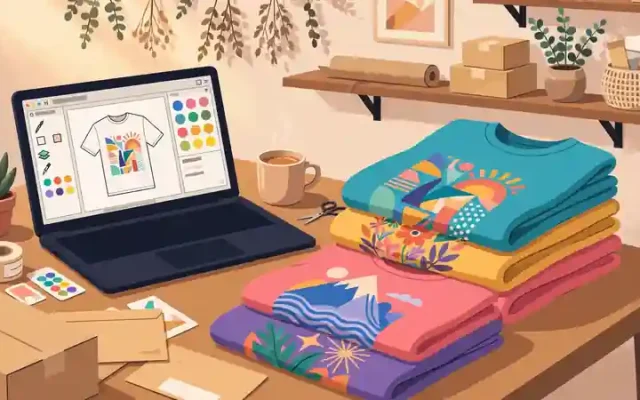
3. Selling digital products. Printables, planners, wall art, templates — Pinterest users love downloads. You pin attractive mockups linking straight to your Etsy shop or checkout page. Create once, sell forever.
4. Physical products and print-on-demand. If you sell on Etsy or Shopify, Pinterest is a natural fit. Lifestyle mockups of your products, styled in real rooms, outperform plain product shots every time.
5. Pinterest management services. Once you learn the platform, businesses pay $300 to $1,000+ per month for account management — an underrated freelance service with little competition.
Setting Up an Account Built for Earning
Use a free Pinterest business account, not a personal one. It unlocks analytics, Rich Pins, and ad tools. Then claim your website in Settings and enable Rich Pins, which pull headlines or product prices directly onto the pin.
Your profile needs keyword thinking. Your display name should say what you do: “Emma | Budget Home Decor Ideas” beats “Emma’s Pins.” Create 8 to 12 boards with clear, searchable titles like “Small Kitchen Organization” rather than vague names like “My Faves.” Pinterest cannot rank what it cannot understand.
What to Pin: Content That Earns Clicks in 2026
A pin gets about one second to earn a click. The specs that work: vertical images in a 2:3 ratio (1000 x 1500 pixels), bright and high-contrast, with a short text overlay stating the benefit — “15-Minute Dinners” beats a pretty photo with no words.
You do not need to be a designer — Canva’s free tier handles pin design, and AI tools generate striking backgrounds in minutes. For visuals with a distinctive style — cinematic portraits, aesthetic room scenes — AI photo prompts like these cinematic styles produce scroll-stopping imagery without a camera.
Short vertical videos deserve a place too — a 15-second recipe step or a before-and-after reveal gets strong distribution. No need to show your face — screen recordings and AI-generated product-style clips work well as faceless video pins.
Two things beginners miss. First, fresh pins beat repins: the algorithm favors new images, so create multiple pin designs per post rather than resharing one image fifty times. Second, pin seasonally, 30 to 45 days early — Christmas content goes up in October. Seasonal visual themes planned early consistently outperform last-minute posts.
The Pinning Rhythm That Grows Without Burnout
Consistency beats volume spikes. An account publishing 5 to 10 fresh pins daily for six months will beat one that publishes 50 in a weekend and goes silent. Nobody does this manually — use Pinterest’s scheduler or a tool like Tailwind to queue a week of pins in a single two-hour batch session.
A practical split: 70 percent of pins link to your own content or products, 30 percent are curated pins from others in your niche. Every pin must link somewhere specific — never your homepage. A pin about sourdough must land on the sourdough recipe, not your blog’s front page.
Honest Numbers: What Pinterest Income Really Looks Like
Months one and two will likely earn nothing — Pinterest needs time to learn your content, and most accounts see first meaningful traffic between months three and six.
After that, the range depends on your lane. A niche blog with 50,000 monthly Pinterest sessions might earn $500 to $1,500 per month from display ads. Affiliate-focused accounts can earn similar amounts with less traffic because the intent is commercial. Digital product sellers often see the fastest revenue — a $12 printable that converts well can generate daily sales from a handful of strong pins.
The honest summary: Pinterest is a slow-burn, high-leverage channel. It will not replace your income in 30 days, but the traffic it builds is durable.
Mistakes That Keep Accounts at Zero
- Only repinning others. An account with zero original pins has nothing driving traffic to you.
- Cute names instead of keywords. Boards titled “Dreamy Vibes” are invisible to search. Every title and description is a ranking opportunity.
- Linking to generic pages. Each pin should land on the exact page that delivers what the pin promised.
- Weak visuals. Blurry or text-free images get scrolled past. Lean on templates and ready-made aesthetic styles instead of publishing weak designs.
- Quitting in week three. Judge it at month four, not week four.
Your First 30 Days, Week by Week
Week 1 — Foundation. Business account, claimed website, Rich Pins, keyword-rich bio, 10 well-named boards. Choose your one monetization lane.
Week 2 — Content sprint. Design 30 pin images (three designs each for your ten best pages or products) with keyword-rich titles and descriptions.
Week 3 — Systemize. Connect a scheduler, queue two weeks of pins, and check analytics twice a week to see which designs earn impressions.
Week 4 — Double down. Make more variations of whatever performed best. The accounts that win are rarely the most talented; they are the most consistent.
Keep Reading
- Recipe Video AI Prompt — food content dominates Pinterest; create scroll-stopping recipe visuals
- Home Makeover Video AI Prompt — home decor is Pinterest’s biggest category
- Wedding AI Photo Prompt — wedding planning drives massive seasonal pin traffic
- DIY Craft Video AI Prompt — crafts and DIY are evergreen Pinterest winners
Frequently Asked Questions
Do I need a blog to make money on Pinterest?
No. Digital sellers link straight to their shop, and service providers link to booking pages. A blog multiplies your options but is not required.
How many followers do I need first?
Follower count barely matters — Pinterest distributes pins through search and recommendations, not a follower feed. What counts is saves and clicks.
Is it too late to start in 2026?
No — new accounts still break through because the algorithm rewards fresh, relevant content over account age. Low-effort spam no longer works, but original visuals plus real keyword strategy still win.
Can I use AI-generated images for pins?
Yes. Pinterest cares whether users engage with the image, not how it was made. Just make sure the image honestly represents what the pin links to.